


In this tutorial, you will learn how to remove a domain alias in DirectAdmin. This is useful when you no longer need the alias or want to remove unused domain aliases.
1. Log in to your DirectAdmin Account.
2. In the Account Manager section, click on Domain Pointers. Alternatively, type Domain Pointers in the search bar, and the option will appear. Click on it.
3. Under Domain Pointers, select the domain alias you want to remove.
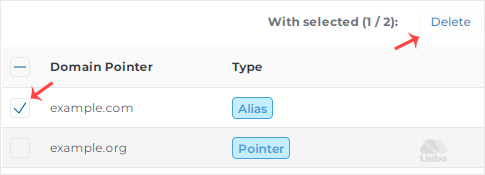
4. Click Delete and confirm the action.
The alias domain has been successfully removed.
