


DirectAdmin(DA) is a Commercial Hosting Control Panel used to sell shared and reseller hosting accounts.
What are the requirements?
- Fresh CentOS, AlmaLinux, Ubuntu, or Debian installed on your VPS/Server.
How to install DirectAdmin?
Step 1: The first step is to log in to your root account using SSH or any other way.
Enter the following command:
sh <(curl -fsSL https://download.directadmin.com/setup.sh)
Step 2: Once the DirectAdmin initial setup is complete, a URL will be provided. Open it in your browser to continue the installation.
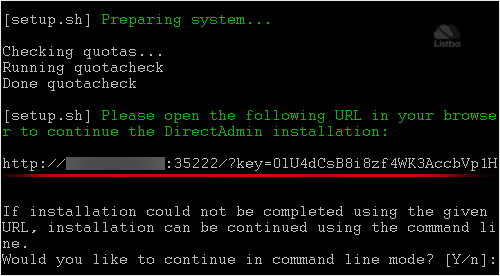
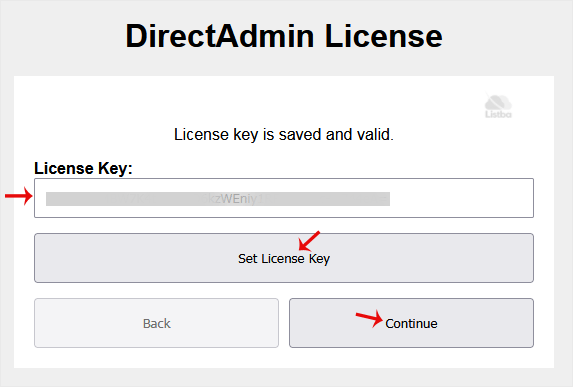
Step 3: Enter your license key, click Set License Key, and then click Continue.
Step 4: Enter the following details:
- User Name: Your DirectAdmin administrator username.
- Email Address: Your email address.
- Server Hostname: For example,
example.com - Name Server 1 and 2: For example,
ns1.example.comandns2.example.com
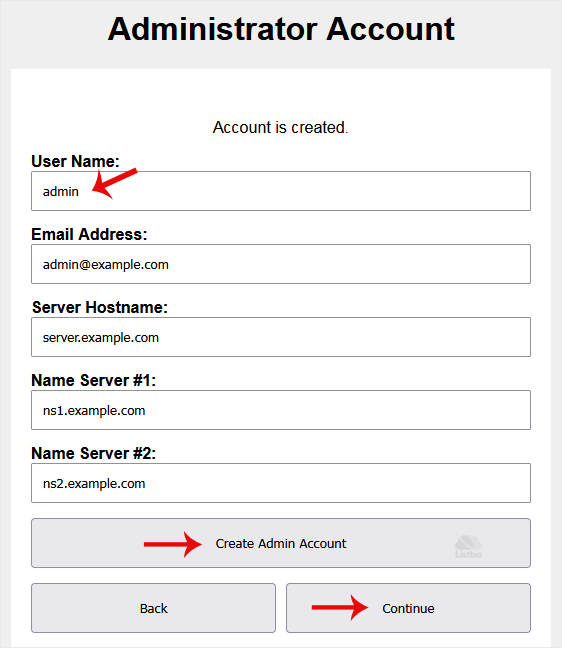
Click Create Admin Account, and then click Continue.
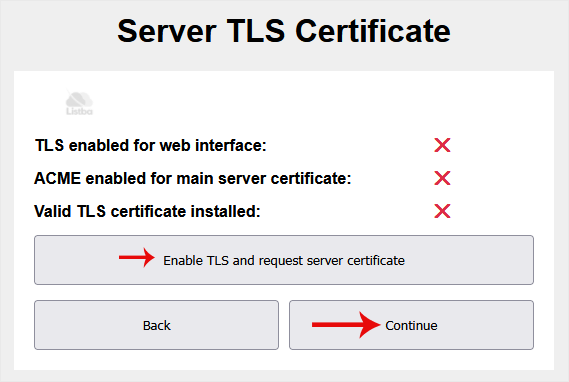
Step 5: Click Enable TLS, and then click Continue.
Step 6: Choose followings details:
- Web Server: Apache, Nginx or any other web server.
- PHP Mode: PHP-FPM.
- PHP Release: Choose your default PHP version.
- Database Server: MariaDB.
- FTP Server: Pure-FTPd.
- Spam Filter: SpamAssassin.
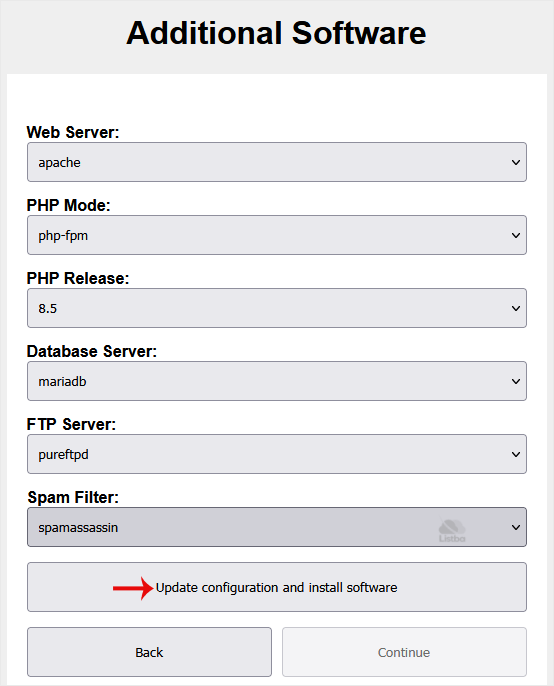
Click Update configuration.
7. Final Step: DirectAdmin will display your administrator username and password. Copy the password, then click Exit and Open DirectAdmin.
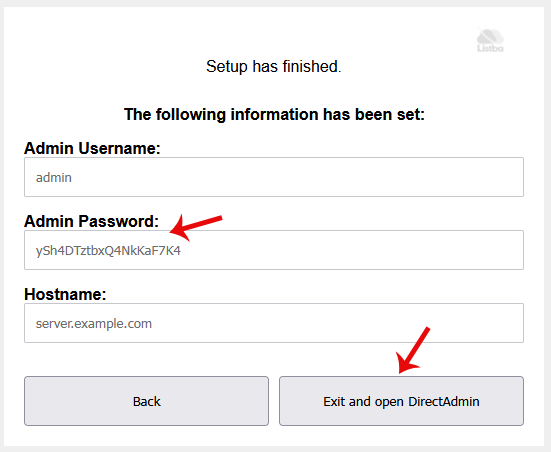
Congratulations, you have successfully installed the DirectAdmin control panel.
